
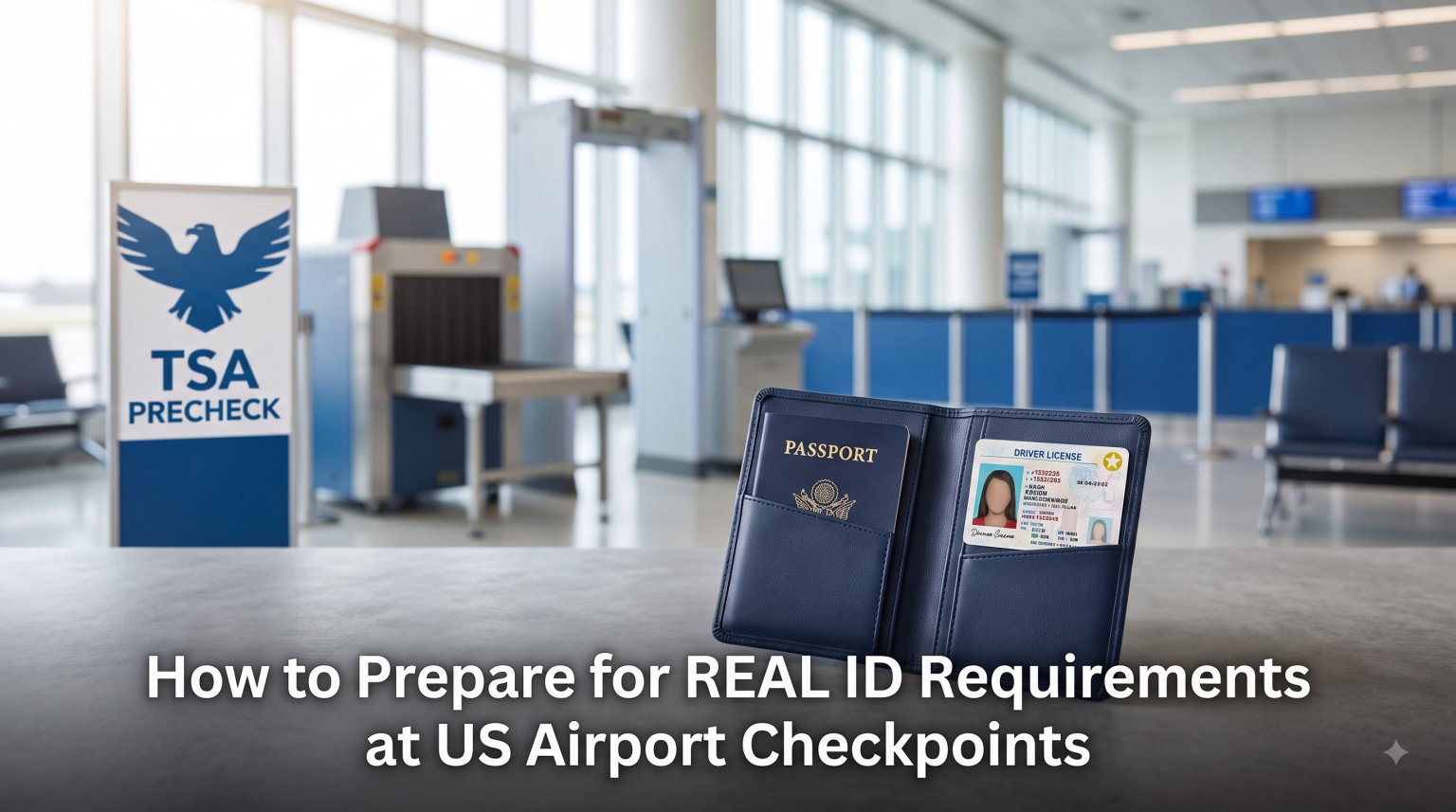
I learned about REAL ID requirements the hard way. I was standing in the TSA PreCheck lane at O’Hare last spring with my old license when the agent flagged me. I had to scramble, pay a fee I didn’t know existed, and almost missed my flight. That single mistake cost me a two-hour delay and a real lesson. After that day, I started asking every traveler I met the same question: do you know if your ID is REAL ID compliant? Most said no.
REAL ID requirements at US airport checkpoints became federally enforced on May 7, 2025. If you have a domestic flight booked for 2026 and your wallet still holds a license without the star marking, this guide is for you. I spent three weeks digging through TSA.gov, DHS announcements, state DMV portals, and dozens of Reddit threads to put together everything you need before your next trip. You’ll learn how to check your card in 10 seconds, which documents actually work at the checkpoint, how the new $45 ConfirmID process works, and what to do if you forgot to renew. No legal jargon, just the practical steps I wish I had.
Table of Contents
What REAL ID Is and Why It Matters for US Air Travel
REAL ID is a federal security standard for state-issued driver’s licenses and identification cards. It was created by the REAL ID Act of 2005, passed by Congress on the recommendation of the 9/11 Commission. The Commission found that several of the September 11 hijackers had used state-issued IDs that didn’t follow consistent security rules. Congress responded by setting baseline requirements for every license used to board a domestic flight or enter a federal facility.
The Department of Homeland Security enforces REAL ID requirements through state DMVs, not the TSA directly. Each state DMV has to verify your identity documents, confirm your Social Security number, and check two proofs of residency before issuing a compliant card. When you hand your license to a TSA officer at the security checkpoint, the scanner pulls up data that has already been validated by your state. That’s the entire point of the program: every ID at the checkpoint meets the same minimum bar.
If your license doesn’t meet that bar, you have two paths forward. The first is getting a new REAL ID-compliant license from your DMV before your next flight. The second is using an accepted alternative document like a passport, Global Entry card, or Enhanced Driver’s License. A third option, new for 2026, is paying TSA $45 for an on-the-spot identity verification called ConfirmID. I’ll walk you through each of these so you can pick the one that matches your travel timeline.
Who needs a REAL ID for domestic flights?
Every adult traveler aged 18 and over flying within the United States needs a REAL ID-compliant license or an accepted alternative. Children under 18 can travel using a regular state-issued ID, school ID, or even be accompanied by an adult with valid ID on certain airlines. The rule applies to every TSA checkpoint at every commercial airport in the country. It does not matter if your flight is one hour or five hours, on a major carrier or a regional one. The same REAL ID requirements apply.
Key REAL ID Enforcement Dates for 2026 Travel
The federal REAL ID enforcement deadline was May 7, 2025. From that date forward, travelers without compliant IDs could no longer board domestic flights using just a standard state license. TSA ran a phased approach at first, allowing verbal identity verification for travelers who claimed their IDs were lost or in transit. That phased rollout ended on February 1, 2026, when the ConfirmID system went live.
Here’s the timeline that matters for travelers booking trips in 2026:
- May 7, 2025: Federal REAL ID enforcement begins at TSA checkpoints nationwide.
- May 7, 2025 to January 31, 2026: Phased enforcement period. Travelers without compliant ID could verbally confirm their identity and proceed through additional screening.
- February 1, 2026: TSA ConfirmID launches. Travelers without REAL ID or an accepted alternative pay $45 for identity verification via Pay.gov.
- Ongoing in 2026: Standard REAL ID enforcement is now in full effect at every domestic airport.
The shift to ConfirmID was a major change. During the phased period, you could sometimes talk your way through the checkpoint if your ID was at home. Now, if you show up without an acceptable document, TSA will send you to a dedicated verification area, run your identity through federal databases, and charge you $45. The whole process can take 30 minutes or longer depending on the airport and your case. Some travelers report 10-minute processing, others describe 45-minute waits. Build in extra buffer time if you know your ID isn’t compliant.
How to Tell If Your Driver’s License Is REAL ID Compliant
You can check whether your license is REAL ID compliant in about 10 seconds. Pull out your wallet and look at the upper-right corner of your driver’s license. You’re looking for a star marking. If the star is gold or yellow with a black outline, your license is compliant. If the star is solid black and printed inside a black circle, it’s also compliant but that style is less common. If there’s no star at all, or if you see the words “Federal Limits Apply” or “NOT FOR REAL ID PURPOSES” printed on the card, your license is non-compliant.
The star appears in different positions depending on the state that issued your card. Some states place it on the right side, others tuck it into the upper-left corner. The key is the star itself, not the position. California uses a gold bear with a star, which has confused a lot of travelers. Michigan uses a star inside a circle. New York places the star on the front lower-right. I recommend checking your specific state’s DMV page if your license is from a state with non-standard layouts.
What the “Federal Limits Apply” label means
California issues two types of driver’s licenses. The standard license has the words “Federal Limits Apply” printed on the front. That label means the card cannot be used to board a domestic flight or enter a secure federal facility. If you have a California license with that wording, you must either upgrade to a REAL ID, carry your passport, or pay the $45 ConfirmID fee. Illinois, New Jersey, and Washington State have similar non-compliant designs. If your card shows “NOT FOR FEDERAL IDENTIFICATION,” treat it the same way.
What to do if you can’t find a star
If your license has no star and no “Federal Limits Apply” label, it could still be non-compliant. Some states print the star on the back of the card rather than the front. Flip it over and look carefully. If you still can’t find any star marking, your state DMV website will tell you whether your license design meets REAL ID requirements. You can also call your local DMV branch and ask them to verify your license by number. Most state hotlines can confirm compliance in under five minutes during business hours.
Acceptable Forms of ID at TSA Checkpoints
If your license isn’t REAL ID-compliant, you can still board a domestic flight using one of several accepted alternative IDs. TSA accepts both REAL ID driver’s licenses and these other documents at the security checkpoint. Here’s the full list of what works in 2026:
- U.S. Passport or U.S. Passport Card – The most universally accepted alternative. Both the traditional passport book and the cheaper passport card work at TSA checkpoints.
- REAL ID-compliant state driver’s license – Issued by your state DMV after verifying identity, SSN, and residency.
- Enhanced Driver’s License (EDL) – Available in Michigan, Minnesota, New York, Vermont, and Washington. Functions as both a license and a border-crossing document.
- U.S. Military ID – Active duty, reserve, and retired military IDs (DOD ID cards and Common Access Cards) are accepted for service members and dependents.
- U.S. Permanent Resident Card (Form I-551) – Green card holders can use their permanent resident card.
- Border Crossing Card – Issued to specific Mexican nationals for land border crossings.
- Trusted Traveler Program Cards – Global Entry, NEXUS, SENTRI, and TSA PreCheck cards all work at the checkpoint.
- HSPD-12 PIV Card – Federal employee smart cards and certain contractor IDs.
- Form I-766 – Employment Authorization Document (EAD) issued by USCIS.
- Veteran Health Identification Card (VHIC) – For U.S. veterans enrolled in VA health care.
- Tribal ID – Federally recognized, tribe-issued photo identification.
- Transportation Worker Identification Credential (TWIC) – For maritime workers needing secure facility access.
- Mobile Driver’s License (mDL) – Accepted in select states including Arizona, Colorado, Maryland, and Utah via Apple Wallet and Google Wallet.
The most common alternatives travelers use are passport books and Global Entry cards. If you already have a passport, you don’t need to upgrade your license just to fly domestically. Some travelers carry both: their standard license as their everyday ID and their passport when flying. That works.
What about TSA PreCheck enrollment cards?
This is the question I hear most often at the airport. TSA PreCheck does not replace the REAL ID requirement. Your PreCheck Known Traveler Number (KTN) speeds up your screening experience, but you still need to present an acceptable ID at the checkpoint. I have watched PreCheck members get flagged because they thought their KTN card alone was enough. It isn’t. Always bring a REAL ID-compliant license or passport, even if your boarding pass says “TSA PreCheck.”
What is not accepted at TSA checkpoints
Several common forms of ID are not accepted at TSA checkpoints. School IDs, library cards, employer badges, Costco cards, expired licenses (even within the 2-year renewal grace period), Social Security cards, and birth certificates all fail the identity check. Expired IDs trigger the same identity verification process as having no ID at all. If you realize your license is expired on the way to the airport, plan on either going home or paying the $45 ConfirmID fee.
How TSA ConfirmID Works: The $45 Backup Option
TSA ConfirmID is the new identity verification process for travelers who arrive at the checkpoint without a compliant ID. It launched February 1, 2026, replacing the older verbal identity confirmation that ran during the May 2025 to January 2026 phased enforcement window. ConfirmID costs $45 and can take 10 to 45 minutes depending on airport traffic and your specific case. Here’s how the process works from start to finish.
Step 1: Tell the TSA officer you don’t have compliant ID
When you reach the document check podium, hand over whatever ID you have, even if you know it’s not compliant. Don’t try to hide it. TSA officers see this every single day. They will ask you to step aside into a separate area reserved for identity verification. Don’t be embarrassed. I have watched dozens of travelers go through this process at multiple airports, and TSA treats it as a routine transaction.
Step 2: Pay the $45 fee via Pay.gov
The officer will direct you to a kiosk or QR code that opens the Pay.gov portal. You pay $45 using a credit or debit card. ACH transfer from a bank account also works. Save your confirmation receipt on your phone. You will need to show it to the verifying officer before proceeding. I have heard some travelers complain about the fee, but it covers TSA’s cost of running your identity against federal databases. There is no way to waive the fee, and it is the same at every airport in the country.
Step 3: Complete the identity verification interview
A TSA officer will ask you a series of questions to verify your identity. They will check your name against federal databases, including watch lists, no-fly lists, and identity records. You may be asked to confirm your home address, your date of birth, your Social Security number, and recent travel history. The officer will compare your responses to the data on file. If everything matches, you proceed to the screening area. If something doesn’t match, you may face additional questioning or be denied entry to the secure area.
Step 4: Clear security and board your flight
Once TSA confirms your identity, you go through the standard screening process. Your $45 fee covers the verification, but you still have to remove your shoes, liquids, and electronics just like every other passenger. After screening, you proceed to your gate like normal. Your confirmation receipt stays valid for the next 10 days of domestic travel, so if you have a return flight within 10 days, you can reuse the same verification at no additional charge.
One traveler on the r/unitedairlines subreddit shared this experience after forgetting their REAL ID at O’Hare last year: they paid the $45 at the checkpoint information kiosk, waited about 20 minutes for the identity check, and made their flight with 10 minutes to spare. Another traveler on r/travelhacks said ConfirmID saved their trip when they misplaced their REAL ID before a family vacation. They allowed an extra hour at the airport, and the entire process took about 30 minutes. Plan for the longer scenario and you’ll never be surprised.
How to Get a REAL ID at Your State DMV
Getting a REAL ID-compliant driver’s license requires a visit to your state DMV. You cannot get one online or by mail in most states. The process typically takes 30 to 90 days from application to receiving your new card in the mail, so plan ahead. Most DMVs require an in-person appointment, and appointment wait times in major cities can stretch to 8 weeks. Start early.
Documents you’ll need to bring
Every state DMV requires the same basic documents for a REAL ID application. Bring originals, not photocopies. Laminated documents are often rejected by DMV staff because the lamination prevents proper scanning.
- Proof of identity: A valid U.S. passport, original birth certificate (certified copy with raised seal), Certificate of Citizenship, or Permanent Resident Card.
- Proof of Social Security Number: Your Social Security card, W-2 form, or pay stub showing the full SSN.
- Two proofs of residency: Utility bills, bank statements, mortgage documents, or rental agreements showing your current address. Documents must be recent (within the last 60 to 90 days, depending on the state).
- Proof of name change (if applicable): Marriage certificate, divorce decree, or court order for any name that differs from your birth certificate.
What to expect at the DMV appointment
The REAL ID process is different from a standard license renewal. A DMV employee will physically inspect your original documents. They will scan or copy them into your file. You will take a new photo, and you will pay the REAL ID fee (typically $30 to $65 depending on the state, on top of your regular license fee). Some states issue the REAL ID card on the spot. Others mail the card within 7 to 14 days. If you have a flight before the new card arrives, bring your passport or another accepted ID.
States with extra requirements
California, Illinois, and New Jersey have additional documentation requirements beyond the federal minimum. If you live in one of these states, check your DMV website before booking an appointment. California, for example, requires two different proofs of residency that show your full name and current address, and they reject any document that doesn’t meet both criteria. Illinois requires a signed verification form if your current license was issued before 2010.
Special Cases: Minors, Military Members, and Digital IDs
Not every traveler needs a REAL ID. Children under 18 flying domestically with an accompanying adult can use any government-issued ID or even be identified by their parent’s documents on certain airlines. The TSA rule applies to adults aged 18 and over. If your teenager is flying alone or as an unaccompanied minor, the airline may have stricter documentation requirements, but they don’t need a REAL ID specifically.
Military service members and dependents
Active duty military members, reservists, and retirees can use their DOD Common Access Card (CAC) or DOD ID card at TSA checkpoints. The DOD ID card is considered an acceptable alternative regardless of REAL ID status. Dependents of military members can use their DOD-sponsored ID as well. Military personnel traveling on orders should keep their military ID with their travel orders. Some commands also issue civilian clothing and travel allowances that include ID documentation.
Mobile driver’s licenses (mDL) acceptance
Several states now issue mobile driver’s licenses that you can store in Apple Wallet or Google Wallet. As of 2026, TSA accepts mobile driver’s licenses from Arizona, Colorado, Maryland, and Utah at select checkpoints. The mDL works alongside your physical card. You tap your phone on the reader at the document check podium, and TSA verifies your identity digitally. If your state isn’t on the list yet, you can still carry the mDL on your phone, but you’ll need your physical license to clear the checkpoint until your state joins the program.
Senior travelers
TSA agents have shown discretion when verifying the IDs of travelers aged 75 and older. A Reddit user on r/chicago shared that their 78-year-old mother flew from a Midwest airport without her REAL ID and was waved through with verbal confirmation. This isn’t a written policy, and you shouldn’t rely on it. Bring your REAL ID or passport if you have one, but know that older travelers may face less scrutiny. Don’t plan your trip around this kind of unofficial leniency.
Practical Tips to Avoid REAL ID Checkpoint Delays in 2026
After three months of airport-hopping and asking travelers about their experiences, here are the practical tips that actually help. These come from a mix of TSA guidance, my own trials, and Reddit threads from r/travel, r/aviation, and r/tsa. None of these cost extra.
Tip 1: Take the 10-second wallet check before every trip
Pull out your license before you leave for the airport. Look for the star. If you don’t see one, decide now whether to use your passport, reschedule, or plan for ConfirmID. Doing this in your kitchen is far less stressful than figuring it out at the checkpoint. I keep a sticky note on my fridge that reminds me to check.
Tip 2: Carry a backup ID document
Even if your license is REAL ID-compliant, carry a backup like a passport card or a Global Entry card. Lost licenses, expired licenses, and accidental damage can all cause problems at the checkpoint. A passport card costs $30 and fits in your wallet. Global Entry costs $100 for five years and includes TSA PreCheck. Either one gives you a solid backup plan.
Tip 3: Pre-pay ConfirmID on Pay.gov before reaching the airport
If you know your license isn’t compliant and you’re choosing ConfirmID, you can pay the $45 fee on Pay.gov before you leave. The receipt is valid for the next 10 days of travel. Paying in advance doesn’t skip the identity verification at the checkpoint, but it does save you the few minutes at the kiosk.
Tip 4: Arrive 30 minutes earlier than usual
ConfirmID can add 30 minutes to your security experience. If your license is non-compliant and you’re flying during peak hours, plan for the longer scenario. Travelers in r/travelhacks consistently recommend arriving an hour earlier than normal if you know you’ll need ConfirmID. You can always have extra time at the gate. You can’t make the flight if you miss it.
Tip 5: Don’t assume TSA PreCheck waives the ID requirement
I keep coming back to this because the confusion is so common. Your TSA PreCheck membership speeds up the screening. It does not waive the ID requirement. You still need a REAL ID or accepted alternative at the document check podium. The PreCheck lane has a TSA officer who scans your ID and boarding pass before you reach the scanner. Without compliant ID, you’re flagged and sent to ConfirmID just like everyone else.
Tip 6: Check your name spelling matches your ticket
If your driver’s license says “Michael” but your ticket says “Mike,” TSA may flag the mismatch. ConfirmID becomes harder if your name on file with the airline doesn’t match your government ID. Confirm your name exactly matches across all documents before your trip. This includes middle names, suffixes (Jr., Sr., III), and any recent name changes.
Tip 7: Renew your license early, not on the deadline
DMV appointment wait times stretch to 6 to 8 weeks in major metro areas. If your license expires in the next 12 months, schedule your REAL ID appointment now. Most states let you renew up to a year in advance. The earlier you start, the less stress you face before a trip.
Tip 8: Avoid laminated documents
DMVs reject laminated birth certificates because the lamination prevents proper scanning. If your only proof of citizenship is a laminated birth certificate, order a new certified copy from the vital records office in the state where you were born. Most states charge $10 to $30 and deliver the certified copy within 2 to 4 weeks. Don’t wait until the week of your DMV appointment.
Tip 9: Confirm your state’s REAL ID card design
Some states use non-standard designs that have caused widespread confusion. California’s gold bear with a star, Michigan’s star in a circle, and New York’s lower-right star placement have all led to travelers not recognizing their own compliant cards. Check your state DMV’s REAL ID page before assuming your card is non-compliant. A photo tour is usually available.
Tip 10: Have a travel backup plan
If you discover your license isn’t compliant and you can’t get a REAL ID in time, your backup plan should be a passport or Trusted Traveler card. These work at every TSA checkpoint regardless of state license status. If you don’t have either and you can’t get to a DMV in time, ConfirmID is your last-resort option. It works, but it costs $45 and adds time.
Frequently Asked Questions About REAL ID at US Airports
What can I bring to the airport instead of a REAL ID?
If you don’t have a REAL ID-compliant driver’s license, you can use a U.S. passport, U.S. passport card, Enhanced Driver’s License (EDL), Global Entry card, NEXUS card, SENTRI card, military ID, permanent resident card, tribal ID, HSPD-12 PIV card, or a mobile driver’s license (mDL) from participating states. TSA accepts any one of these documents in place of a REAL ID at the security checkpoint.
What happens if I don’t have a REAL ID at the airport in 2026?
Since February 1, 2026, travelers without a REAL ID or accepted alternative must use TSA ConfirmID. You pay a $45 fee via Pay.gov, complete a federal identity verification interview, and wait 10 to 45 minutes for clearance. Your verification remains valid for 10 days of domestic travel. If the verification fails, you cannot board your flight.
How strict is TSA being about REAL ID enforcement?
TSA enforces REAL ID strictly at all domestic checkpoints. Since the May 2025 deadline, travelers without compliant IDs are sent to a separate verification area. During the phased period from May 2025 to January 2026, verbal confirmation was sometimes accepted. That discretion ended when ConfirmID launched. Travelers aged 75 and over have reported occasional leniency, but you should never plan around it.
Do I need a REAL ID to fly domestically in 2026?
Yes. Every adult traveler aged 18 and over flying within the United States needs a REAL ID-compliant license, passport, or another accepted alternative. The federal enforcement began May 7, 2025, and the ConfirmID backup system launched February 1, 2026. Children under 18 flying with a companion can use any government-issued ID.
How long does it take to get a REAL ID?
Most state DMVs issue REAL ID-compliant licenses within 7 to 14 days of application, though some states provide the card on the same day. Appointment wait times in major cities can stretch to 6 to 8 weeks. Plan for 8 to 12 weeks total from booking your appointment to receiving your REAL ID card. If your flight is sooner, carry your passport or pay the $45 ConfirmID fee.
Can I use my passport instead of a REAL ID?
Yes. A U.S. passport book or passport card is accepted at every TSA checkpoint in place of a REAL ID. The passport card is cheaper ($30) and fits in your wallet, but only works for domestic flights, land border crossings, and sea ports of entry. A passport book works for both domestic and international travel. Either one replaces your REAL ID for the checkpoint.
Final Thoughts on REAL ID Requirements at US Airport Checkpoints
REAL ID requirements at US airport checkpoints are no longer a future concern. They are the daily reality at every TSA security lane in the country. The good news is that the system works exactly as designed for travelers who plan ahead. Take the 10-second wallet check before your next trip. If your license has the star, you’re set. If it doesn’t, decide between upgrading at the DMV, carrying your passport, or accepting the $45 ConfirmID backup option. None of these choices is wrong as long as you make it before you reach the security line.
For most travelers, the best move is scheduling a REAL ID appointment now, even if your next flight is months away. DMV wait times are climbing, and appointment slots in major cities fill up fast. Bring your original documents, including a non-laminated birth certificate and two recent residency proofs, and you’ll walk out with a card that works at every airport in the United States. If you’re traveling before that appointment, a passport or Global Entry card keeps you moving through the checkpoint without delays. REAL ID requirements aren’t going away. Get ahead of them, and your next trip will start the way it should: smooth and stress-free.