
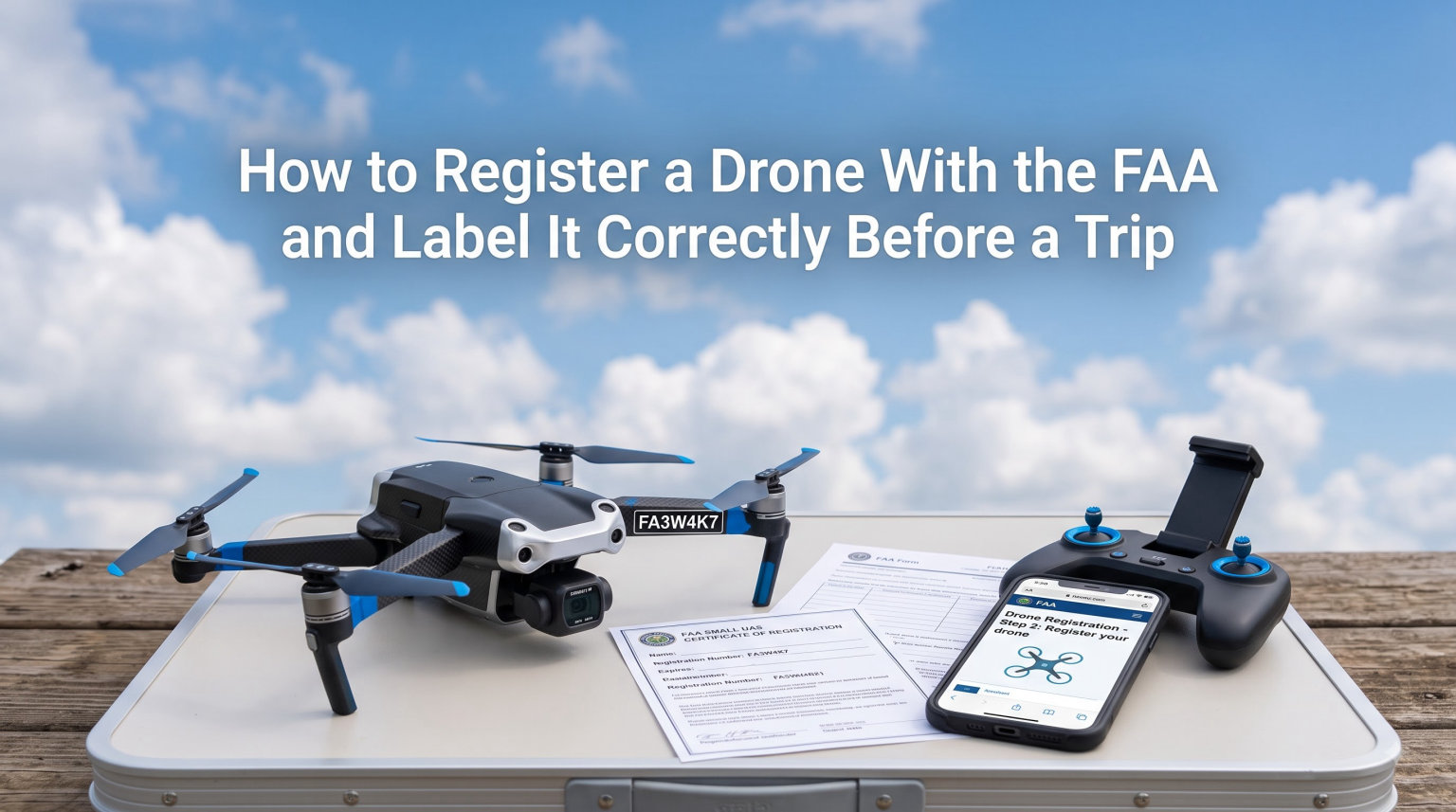
Flying a drone on your next trip sounds like a great idea until you realize you skipped a step that could cost you thousands of dollars. If you want to register a drone with the FAA and label it the right way, you need to handle two things before you ever pack your gear bag: a valid registration through the FAA DroneZone and a physical registration number marked on your aircraft. I have helped dozens of first-time and experienced pilots get this process right, and the good news is that it takes about 15 minutes online plus another 10 to physically mark your drone.
This guide walks through every step from start to finish. You will learn who needs to register, how the online process works, how to label your drone so it passes FAA inspection, and what to prepare before you travel with it. Whether you fly recreationally or commercially, everything below applies to you.
Table of Contents
Why You Need to Register Your Drone With the FAA
The FAA treats drones as aircraft, not toys. That means every unmanned aircraft system (UAS) operated in US airspace falls under federal aviation regulations, and registration is the legal mechanism that ties a specific drone to a specific owner.
Registration exists for accountability and safety. If your drone causes property damage, interferes with manned aircraft, or violates a temporary flight restriction, the FAA uses your registration number to trace the aircraft back to you. Without that number, you are operating anonymously in regulated airspace, which the FAA considers a serious violation.
Many first-time pilots assume registration is optional because enforcement seems rare. Forum discussions on r/drones and r/fpv tell a different story. Pilots regularly report receiving civil penalty notices, and the FAA has increased enforcement actions as Remote ID compliance rolled out. If you plan to fly anywhere near people, parks, or urban areas, the chances of being checked are higher than you might think.
For travelers specifically, registration matters even more. Airport security, park rangers, and local law enforcement may ask to see proof of registration before allowing you to fly. Some state and national parks require a valid FAA registration number before granting a filming or recreation permit. Showing up unregistered can mean forfeiting your flying opportunity entirely on a trip you spent months planning.
Who Needs to Register: Weight, Age, and Use Requirements
The FAA draws a clear line based on weight. Any drone weighing more than 0.55 pounds (250 grams) and less than 55 pounds (25 kilograms) must be registered before outdoor flight. If your drone falls in that range, registration is mandatory regardless of whether you fly for fun or profit.
This threshold catches more aircraft than people expect. Popular models like the DJI Mini series hover right around 249 grams to squeak under the limit, but adding propeller guards, landing pads, or certain accessories can push the total over 250 grams. I always recommend weighing your drone with everything attached before deciding whether to skip registration.
Age plays a role too. The registered operator must be at least 13 years old. Pilots under 13 cannot hold a registration in their own name, so a parent or guardian must register the drone instead.
Recreational vs Commercial Registration: What Changes
Here is where most pilots get confused. The registration process itself is the same whether you fly recreationally or commercially. You use the same FAA DroneZone portal, pay the same fee, and receive the same type of registration number. The difference lies in which path you choose during registration and what additional requirements apply.
Recreational flyers operate under the Exception for Limited Recreational Operations of Unmanned Aircraft. In addition to registration, they must pass the free TRUST (The Recreational UAS Safety Test) and carry the certificate while flying. Commercial pilots operate under Part 107, which requires a Remote Pilot Certificate obtained by passing the Part 107 knowledge test. Both categories need the drone registered and labeled.
One key distinction: recreational registration covers all drones owned by that single operator under one registration number. Commercial registration under Part 107 requires each individual aircraft to have its own registration number. If you own three drones and fly them all commercially, you need three separate registrations.
How to Register a Drone With the FAA: Step-by-Step
The entire registration process happens online through the FAA DroneZone portal at faadronezone-access.faa.gov. I have walked through this process many times, and once you have your information ready, it takes roughly 10 to 15 minutes from start to finish.
Here is the exact step-by-step process to register your drone with the FAA.
Step 1: Gather Your Information
Before you open the DroneZone website, collect the following details so you are not scrambling mid-registration:
You need your full legal name, physical address, email address, and phone number. For each drone, you need the manufacturer name, model name, and serial number. The serial number is usually printed on a sticker inside the battery compartment or on the aircraft body, and it is also visible in your flight app under aircraft information.
If you have a Remote ID serial number (assigned by the FAA when you register a drone with Remote ID broadcast capability), keep that handy too. Most drones manufactured after September 2022 include built-in Remote ID.
Step 2: Create an FAA DroneZone Account
Go to faadronezone-access.faa.gov and click to create a new account if you do not already have one. You will need to set up a login using your email address and create a password. The system will send a verification email that you must confirm before proceeding.
Some users report that the verification email takes several minutes or lands in a spam folder. If you do not see it within 15 minutes, check your spam or promotions tab before requesting a resend.
Step 3: Choose Your Registration Type
Once logged in, you will see two options. The first is “Recreational Flyer” registration, which covers all your recreational drones under a single number. The second is “Part 107” registration, which registers individual aircraft for commercial use. Select the option that matches how you intend to fly.
If you are unsure, consider whether you will ever use your drone footage commercially. Selling photos, doing real estate work, or even posting monetized YouTube content from your drone counts as commercial use under FAA rules. When in doubt, Part 107 registration gives you more flexibility.
Step 4: Enter Your Drone Details
For recreational registration, enter your personal information and confirm that you understand the recreational flying rules. For Part 107 registration, enter each drone individually with its manufacturer, model, and serial number. The system walks you through fields one at a time.
Double-check the serial number before submitting. Forum users frequently report renewal errors caused by a typo in the original serial number entry. Getting it right the first time saves you headaches when your registration expires in three years.
Step 5: Pay the Registration Fee
The FAA charges $5 for registration, and that fee covers you for three years. For recreational flyers, the $5 covers all your drones. For Part 107 operators, the fee is $5 per aircraft. Payment is processed by credit card through a secure government payment portal.
After payment processes, some users report not immediately receiving their confirmation email. If this happens, log back into the DroneZone and check your dashboard. Your registration certificate should be available for download as a PDF from your account even if the email is delayed.
Step 6: Download and Save Your Registration Certificate
The FAA issues your registration as a downloadable PDF certificate. Save this file to your phone and print a physical copy to keep in your drone case. You are legally required to have proof of registration available when flying, and law enforcement or FAA inspectors may ask to see it on the spot.
Your registration number will be clearly displayed on this certificate. This is the number you will use to physically label your drone in the next section.
How to Label Your Drone With the FAA Registration Number
Getting registered is only half the job. The FAA requires every registered drone to be physically marked with its registration number in a way that is visible upon visual inspection without any tools or disassembly. This is the step many pilots rush or skip, and it is one of the most common reasons for receiving a violation notice.
The FAA rule is specific: the registration number must be marked on the exterior of the aircraft in a legible and durable manner. It must be readable without opening a compartment, removing a battery, or using any tool. Let me walk through how to label your drone correctly.
Where to Place Your Registration Number
Placement is straightforward but important. The number must be on the exterior surface of the drone, not hidden inside a battery compartment or under a removable panel. The FAA updated this requirement specifically so that inspectors can verify registration without handling the aircraft.
The best spots are flat, visible surfaces on the top or side of the drone body. For most consumer drones like the DJI Mavic or Air series, the flat top surface near the rear works well. For FPV drones, choose a clean flat section of the frame that stays visible during inspection.
Avoid placing the number on the underside where it is hard to read, on propellers (which spin), or on any surface that gets extremely hot during operation. The goal is a spot an inspector can see at a glance while the drone is sitting on the ground.
Labeling Methods: Stickers, Engraving, and Markers
The FAA does not mandate a specific method for marking your drone. What matters is that the number is durable, legible, and permanent enough to survive normal flight conditions. Here are the three most common methods and when to use each.
Printed stickers are the most popular choice. You can print your registration number on a label maker or order custom vinyl stickers online. The advantage is a clean, professional look. The risk is that cheap stickers peel off in rain, heat, or after repeated flights. If you go the sticker route, use UV-resistant vinyl and apply a clear overlay on top for protection.
Permanent markers work in a pinch. Use a fine-tip paint pen or oil-based marker to write the number directly on the drone body. This method is fast and requires no additional materials. The downside is that handwriting can be hard to read if your penmanship is not precise, and some drone surfaces resist ink adhesion.
Engraving is the most durable option. Some pilots use a small rotary tool to lightly engrave the number into a flat plastic surface on the drone. This method is virtually indestructible, but it permanently alters your aircraft. I recommend engraving only if you plan to keep the drone long-term and are comfortable with the modification.
Labeling Checklist for Travel
Before any trip, verify your label in these three ways. First, confirm the number is fully visible from the exterior with no compartments open. Second, check that the marking has not faded, peeled, or become smudged since your last flight. Third, make sure the number on the label matches the number on your registration certificate exactly.
If your label is damaged or illegible, replace it before you travel. Flying with a worn-out label is functionally the same as flying unregistered in the eyes of an inspector, and it is an easy fix that takes five minutes.
Travel Preparation: Pre-Trip Drone Registration Checklist
No competitor guide covers this, but it is the core reason you are reading this article. Traveling with a drone adds layers of preparation that local flying does not require. Here is a pre-trip checklist I use before every drone trip.
Registration Documents to Carry
Print your FAA registration certificate and keep it in your drone case. Also save a digital copy on your phone for redundancy. If you fly under Part 107, carry your Remote Pilot Certificate as well. Recreational flyers should carry their TRUST completion certificate.
Some international destinations require additional documentation. If you are flying outside the United States, research whether your FAA registration is recognized or whether you need to register locally. Countries like Canada, the UK, and EU member states have their own registration systems, and a US registration alone may not be sufficient.
Research Local Flight Rules at Your Destination
Every destination has different airspace rules. National parks in the US generally prohibit drone takeoff and landing regardless of registration status. State parks vary by state. Some cities have local ordinances restricting drone flight in public spaces.
Use the FAA B4UFLY app or the Aloft app to check airspace restrictions at your destination before you travel. If you need authorization to fly in controlled airspace, request LAANC (Low Altitude Authorization and Notification Capability) approval in advance through your preferred LAANC provider.
Pack for Inspection Readiness
TSA agents and customs officials may inspect your drone at airport checkpoints. Keep your registration documents easily accessible, not buried at the bottom of a checked bag. Having proof of registration ready speeds up the process and demonstrates that you are a compliant operator.
Carry your drone batteries in your carry-on luggage, never in checked bags, per FAA and airline regulations. Tape battery terminals or use battery sleeves to prevent accidental short circuits during transport.
International Travel Considerations
If you are flying internationally, check the drone laws of your destination country well in advance. Some countries require advance registration that takes weeks to process. Others ban drones entirely or restrict certain models. Japan, for example, requires registration with the Japanese government for any drone over 100 grams flown in the country.
Also verify airline policies. Some airlines have specific rules about drone battery capacity limits and packaging requirements. Check your airline’s policy page before you fly so you are not surprised at the gate.
Common Drone Registration Mistakes to Avoid
After helping many pilots through this process, I see the same mistakes repeat. Here are the most common ones and how to avoid each.
The biggest mistake is registering under the recreational path when you actually need Part 107. If there is any chance you will sell footage, accept payment for drone work, or post monetized content, register under Part 107 from the start. Switching later means re-registering each aircraft and paying again.
Another frequent error is entering the wrong serial number during registration. This causes problems during renewal because the system cannot match your drone to its record. Always copy the serial number directly from the aircraft or your flight app rather than typing from memory.
Many pilots also forget to carry their registration certificate while flying. The number on the drone is not enough. You must be able to produce the certificate on demand, so keep a printed or digital copy with you every time you fly.
Finally, pilots often neglect Remote ID compliance. Drones manufactured after September 16, 2022 must broadcast Remote ID information during flight. If your drone has built-in Remote ID, make sure it is activated. If it does not, you need to attach a Remote ID broadcast module. Flying without compliant Remote ID can result in penalties even if your drone is registered.
What Happens If You Don’t Register: FAA Penalties
Flying an unregistered drone is a federal violation, and the FAA enforces it. Civil penalties can reach up to $27,500 per violation. Criminal penalties are also possible and can include fines up to $250,000 and imprisonment for up to three years.
These numbers come directly from FAA enforcement guidelines, and real pilots have received substantial civil penalties. Forum users on r/drones and r/fpv share stories of receiving notices after flying without registration in parks, near events, and during traffic stops where the drone was visible in a vehicle.
The FAA also has the authority to confiscate equipment. Law enforcement officers at local, state, and federal levels can detain a drone and its operator pending investigation, which would end your trip on the spot.
The risk-to-reward ratio is stark. Registration costs $5 and takes 15 minutes. The alternative is thousands of dollars in fines and possible criminal charges. There is no scenario where skipping registration is worth the risk, especially before a trip you invested time and money into planning.
FAQs
How do you label your drone in FAA?
To label your drone for FAA compliance, mark the registration number on the exterior of the aircraft in a location that is visible upon visual inspection without using any tools or opening any compartments. Use a durable method such as a UV-resistant vinyl sticker, a permanent paint pen, or engraving. The number must remain legible through normal flight conditions.
How hard is it to register a drone with the FAA?
Registering a drone with the FAA is straightforward and takes about 10 to 15 minutes. You create an account on the FAA DroneZone portal, enter your personal information and drone details, pay a $5 fee by credit card, and download your registration certificate. No exam or in-person appointment is required for the registration itself.
Can you fly a drone without registering it with the FAA?
No, you cannot legally fly a drone that weighs more than 0.55 pounds outdoors without registering it with the FAA. Flying an unregistered drone is a federal violation punishable by civil penalties up to $27,500 and potential criminal charges. Drones under 0.55 pounds (250 grams) are exempt from registration.
How to display FAA registration on drone?
Display your FAA registration number on the exterior surface of the drone where it is visible without opening compartments or using tools. Acceptable methods include printed vinyl stickers, permanent markers or paint pens, and engraving. Place the number on a flat surface on the top or side of the aircraft body, and ensure it remains legible after exposure to weather and flight conditions.
How do I renew my FAA drone registration?
FAA drone registration is valid for three years. To renew, log back into the FAA DroneZone portal before your current registration expires, select the expired or expiring registration, verify your drone details and serial number, pay the $5 renewal fee, and download your new certificate. Renewing on time avoids any lapse in your legal ability to fly.
What happens if I don’t register my drone?
If you fly an unregistered drone, you face civil penalties up to $27,500 per violation and potential criminal penalties including fines up to $250,000 and imprisonment up to three years. Law enforcement can also confiscate your equipment. The FAA actively enforces registration requirements through Remote ID data, public complaints, and field inspections.
Conclusion
Learning how to register a drone with the FAA and label it correctly is the single most important step before any trip that involves flying. The process is quick: register online through the FAA DroneZone for $5, download your certificate, mark your drone’s exterior with the registration number, and carry your proof of registration everywhere you fly.
Do not wait until the night before your trip to handle this. Register now, label your drone properly, and verify everything is in order before you pack. A few minutes of preparation protects you from fines, confiscation, and a ruined travel experience. Fly safe, fly legal, and enjoy capturing the aerial footage you traveled for.